
How to Use Stems in Music Production
What Are Stems in Music Production A Guide for Modern Beat Makers
If you’ve spent any time in music production, you’ve probably heard the term “stems” thrown around. But what are they, exactly?
Simply put, stems are pre-mixed groups of audio tracks. Think of them as sub-mixes. For example, you might combine all your individual drum tracks—kick, snare, hats, cymbals—into a single stereo file. That file is your drum stem.
They’re the perfect middle ground: way more flexible than a final stereo mix, but much simpler to handle than a sprawling multitrack session with hundreds of individual files.
Decoding the Audio Hierarchy
To really get a feel for stems, it helps to understand where they sit in the grand scheme of a production.
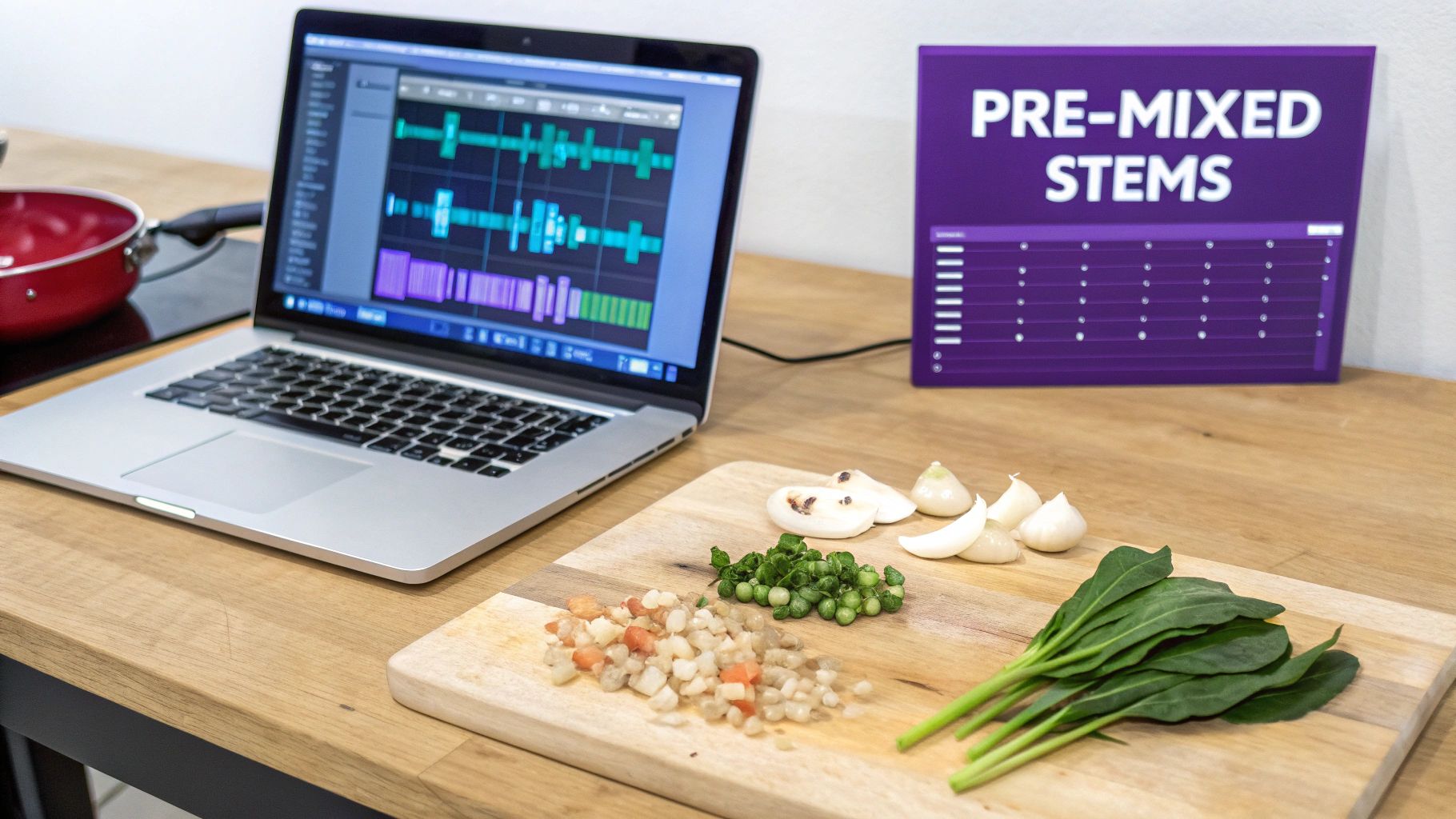
Let’s use a cooking analogy. Your raw, individual ingredients—a single tomato, a clove of garlic, a sprig of basil—are like your multitracks. Each sound is separate, unprocessed, and ready for you to work with from scratch.
Now, imagine you chop the tomatoes, mince the garlic, and mix them with herbs to create a ready-to-use sauce. That sauce is a stem. You’ve combined related elements into one convenient, pre-mixed group. It’s seasoned and ready to be added to the final dish.
The finished meal on the plate, the complete and final product, is your stereo mix. This is the final .WAV or .MP3 file you upload to Spotify. You can’t go back and take the garlic out without starting all over again.
Stems vs Multitracks vs Stereo Mix A Quick Comparison
The diagram below gives you a clear visual of this flow, showing how raw multitracks get bundled into stems, which then combine to create the final stereo file.
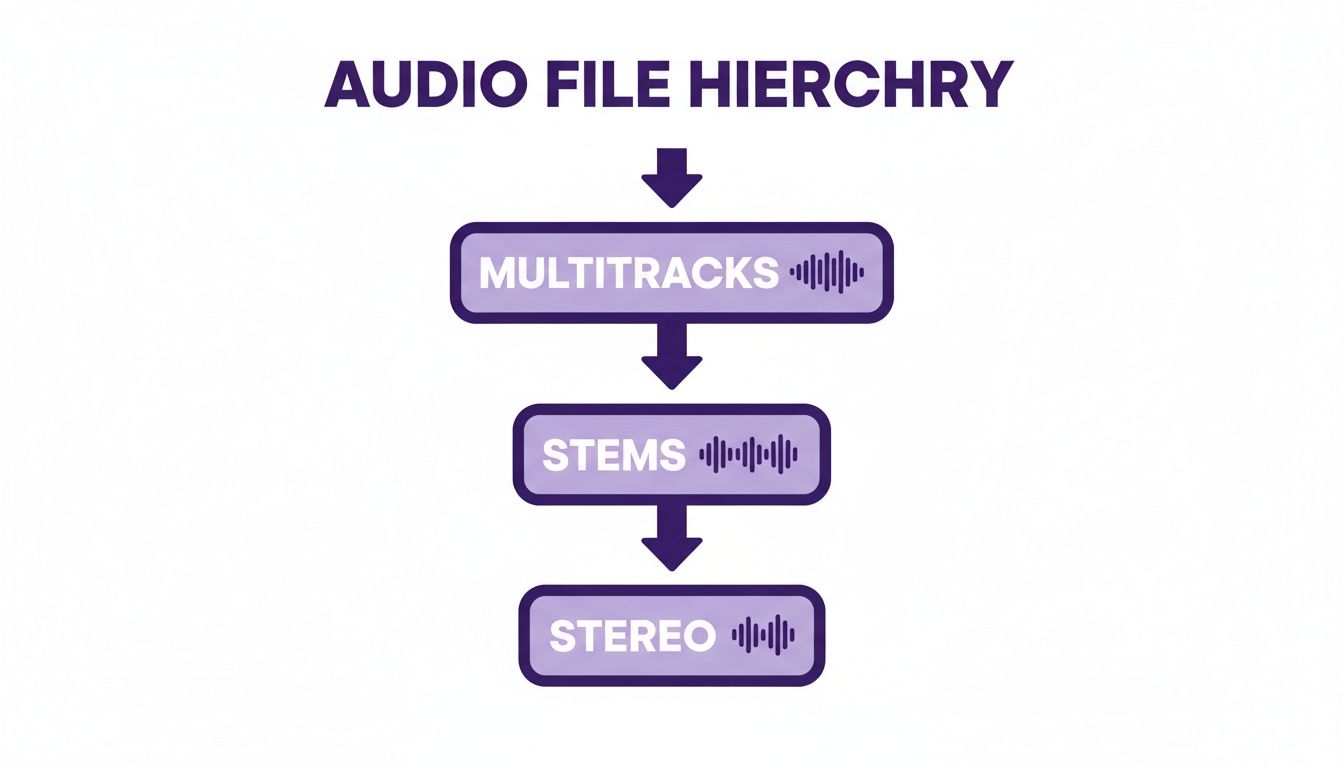
As you can see, stems strike a perfect balance, giving you just enough control without overwhelming you with the raw detail of a full multitrack session.
This balance is a lifesaver in modern music production. A typical pop or hip-hop session can easily balloon to 80–150 individual tracks, but a producer might deliver it as just 8–20 stems for mixing, remixing, or collaboration. That’s a massive reduction in complexity, making everyone’s job easier. You can learn more about how stems have shaped modern workflows over at Production Expert.
To make the distinction crystal clear, here’s a quick table breaking down the key differences.
| Attribute | Stems | Multitracks | Stereo Mix |
|---|---|---|---|
| File Count | Low (typically 4-12 files) | High (often 50-200+ files) | Very Low (just 1 file) |
| Flexibility | Moderate control | Maximum control | No control |
| Common Use | Mixing, mastering, collaboration, DJing | Recording, initial mixing, archiving | Final distribution, listening |
Wrapping your head around this structure is a huge step toward a smarter, more efficient workflow.
Working with stems lets you make big, impactful changes quickly, which is a core skill in the art of beat making. Ultimately, they give you the control you need without getting bogged down in a sea of individual tracks.
Exploring the Most Common Types of Stems
While you can technically break a song down in endless ways, most modern production—especially in hip-hop and electronic music—boils down to a core set of stem categories. Think of these as the main food groups for your track. Getting a handle on them is the key to deconstructing, remixing, and collaborating like a pro.
Each stem is a stereo audio file that groups similar sounds into one clean, manageable track. So, instead of juggling ten different drum tracks for the kick, snare, hats, and percussion, you get one cohesive drum stem. This simplifies everything, letting you focus on the big picture without getting lost in the weeds.
The Big Five Stem Groups
Most construction kits and professional sessions you’ll come across will organize stems into five main categories. You’ll see these same groupings in our FL Studio Sound Packs, which makes it incredibly easy to pull a track apart and see exactly how it ticks.
Here are the essential types you need to know:
- Drum Stems: This is your rhythmic foundation. It typically bundles the kick, snare, hi-hats, claps, and all percussion into a single, punchy stereo file. If you’re looking to build your own, you can find a massive variety of professional sounds in our collection of drum sounds.
- Bass Stems: This stem holds down all the low-end. It could be a funky live bass guitar, a gritty synth bass, or a deep, booming 808 pattern. Having the bass isolated is absolutely critical for controlling the track’s overall power and groove.
Melodic and Textural Stems
Once you get past the rhythm section, the rest of the stems are all about giving the song its unique character and emotional core. This is where the melody, harmony, and overall atmosphere of the track live.
Key Takeaway: When you drop all the stems from a track into your DAW and play them together at unity gain (0dB), they should sound exactly like the original full mix. This is the ultimate test to know they were exported correctly.
These last three groups complete the sonic puzzle:
- Vocal Stems: Pretty straightforward—this includes everything related to the human voice. You might get a main vocal stem, another for harmonies and backing vocals, and maybe even a separate one just for ad-libs and hype tracks.
- Instrument Stems: You’ll often see this labeled as the “Music” or “Synth” stem. It’s a catch-all for the other melodic and harmonic content. Think pianos, synth pads, guitar riffs, string sections, and lead melodies.
- FX Stems: This final stem is all the textural “ear candy.” It’s where you’ll find risers, sweeps, impacts, ambient noises, and any other sound effects that add that extra layer of excitement and polish to the finished track.
How Stems Can Supercharge Your Workflow
Knowing what stems are is one thing, but really getting how they can transform your workflow is where the magic happens. Once you move past the theory, stems become a producer’s secret weapon in a bunch of different situations, turning complex problems into surprisingly simple fixes.
They nail that perfect sweet spot between control and simplicity, speeding up everything from mixing and mastering to collaborating with artists on the other side of the world.
Let’s break down four game-changing ways stems are an essential part of any modern production workflow.

Making Mixing and Mastering a Breeze
Picture this: a mastering engineer gets your final stereo mix, but the vocals are just a little buried under a synth pad. With a single stereo file, their hands are tied. Sure, they can try to boost the vocal frequencies, but that will inevitably pull the synth up with it, maybe even making it sound harsh or thin.
Now, what if they got a vocal stem and a separate instrument stem instead? Suddenly, the fix is easy. They can just pull the instrument stem down by 0.5dB and give the vocal stem a tiny nudge up. Boom—perfect balance, with zero collateral damage to the rest of the track. This is stem mixing, and it gives engineers the surgical precision needed to put that final polish on a record.
Pro Tip: Think of stem mastering as your safety net. It allows for big, impactful adjustments to the song’s overall balance without ever needing to reopen that massive, CPU-hungry project file.
Firing Up Collaborations and Remixes
Ever tried sending a 100-track project file to a collaborator? It’s a total nightmare. You’re dealing with missing plugins, different DAW versions, and file sizes that take forever to upload and download. It’s so much easier to just send eight cleanly labeled stems. Your collaborator gets exactly what they need to get to work without having to dig through your entire messy session.
This kind of efficiency is a huge deal in today’s music scene. The rise of stems is directly connected to the explosion of remix culture, sync licensing, and social media content. Labels now expect stem deliveries because it unlocks a ton of different ways to monetize a single song—think instrumentals for TV shows, acapellas for DJs, or alternate versions for TikTok. You can read more about how stems are powering the creator economy over at Native Instruments.
Fueling Live Performances and DJ Sets
For DJs and live performers, stems have been completely revolutionary. Instead of just blending two full tracks together, a DJ can now grab the drum stem from one song, the vocal stem from another, and the bassline from a third. This opens the door to creating truly unique, on-the-fly remixes that make for unforgettable moments on the dancefloor. A whole new generation of software and hardware is now built specifically for this workflow, making it a new standard in live electronic music.
Unlocking Creative Sampling and Beat Making
And for all the FL Studio producers out there, stems are an endless well of creative fuel. Construction kits, which are basically just professional tracks deconstructed into stems, are a goldmine for inspiration. You can drag a drum stem into your playlist for an instant foundation, then chop up the synth stem and rearrange it into a totally new melody.
This workflow is perfect for both learning and creating:
- Deconstruct: Drag all the stems from a kit into FL Studio to see how a pro track is layered and arranged.
- Rebuild: Mute the original drum stem and try programming your own beat under the melodic parts.
- Remix: Take just the vocal stem, pitch it up, and build a completely new trap beat around it.
When you repurpose stems like this, you’re not just making a beat—you’re learning arrangement, sound selection, and mixing from a finished, professionally produced product.
Exporting and Labeling Stems Like a Pro
Knowing what stems are is only half the game. Knowing how to create them properly is what separates the bedroom producer from the pro who gets called back for more projects.
A poorly exported or mislabeled stem can instantly kill a collaboration, causing confusion and wasting everyone’s time. Let’s walk through the right way to do it, so your files are always clean, organized, and ready for any professional workflow.
Think of it like packing for a trip. You wouldn’t just cram everything into a suitcase. You’d fold things neatly (your export settings), label your bags (your file names), and make sure you have everything you need before you leave.
Setting the Technical Foundation
Before you even think about hitting that export button in FL Studio or your DAW of choice, you need to lock in your technical settings. Getting this right ensures your audio files sound pristine and, just as importantly, line up perfectly when someone else drops them into their project.
These are the absolute non-negotiables for professional stem exports:
- File Format: Always, always choose WAV. It’s the gold standard for a reason—it’s uncompressed, high-quality, and preserves every last detail of your sound. Sending an MP3 is a rookie mistake that bakes in quality loss that you can never get back.
- Bit Depth & Sample Rate: The industry standard is 24-bit / 44.1kHz. This combination gives you plenty of dynamic range to work with and is the required format for most digital music platforms.
- Start Point: This one is critical. Every single stem must start at the very beginning of the song (bar 1, beat 1). Even if your synth lead doesn’t come in until the second chorus, its WAV file needs to have silence at the beginning. This guarantees it will snap right into place in any project, perfectly in sync.
The Great Effects Debate: On or Off?
This is one of the most common questions producers ask: should I print my stems with effects on them, or send them dry? The answer, like most things in music, is: it depends. The key is to think about the purpose of the effect.
Rule of Thumb: If an effect is a creative, defining part of the sound’s character, leave it on. If it’s a basic mixing tool like a corrective EQ or simple compressor, you’re better off leaving it off.
For example, that wild, rhythmic delay on your synth lead that makes the whole groove work? That’s a creative effect. It is the sound. It should absolutely be on the stem.
But the high-pass filter you threw on the vocal to cut out some low-end rumble? That’s a mixing effect. The mix engineer will want to handle that themselves. When in doubt, just ask your collaborator. Or even better, provide both a “wet” (effects on) and “dry” (effects off) version.
A Foolproof Naming Convention
Nothing screams amateur faster than a folder full of files named Audio_1, Bass_final_final, and Drums_new. Sloppy file names create a nightmare for anyone you work with. Get into the habit of using a standardized system.
A clean, consistent formula makes it dead simple for anyone to understand your files at a glance.
Use this structure every single time:
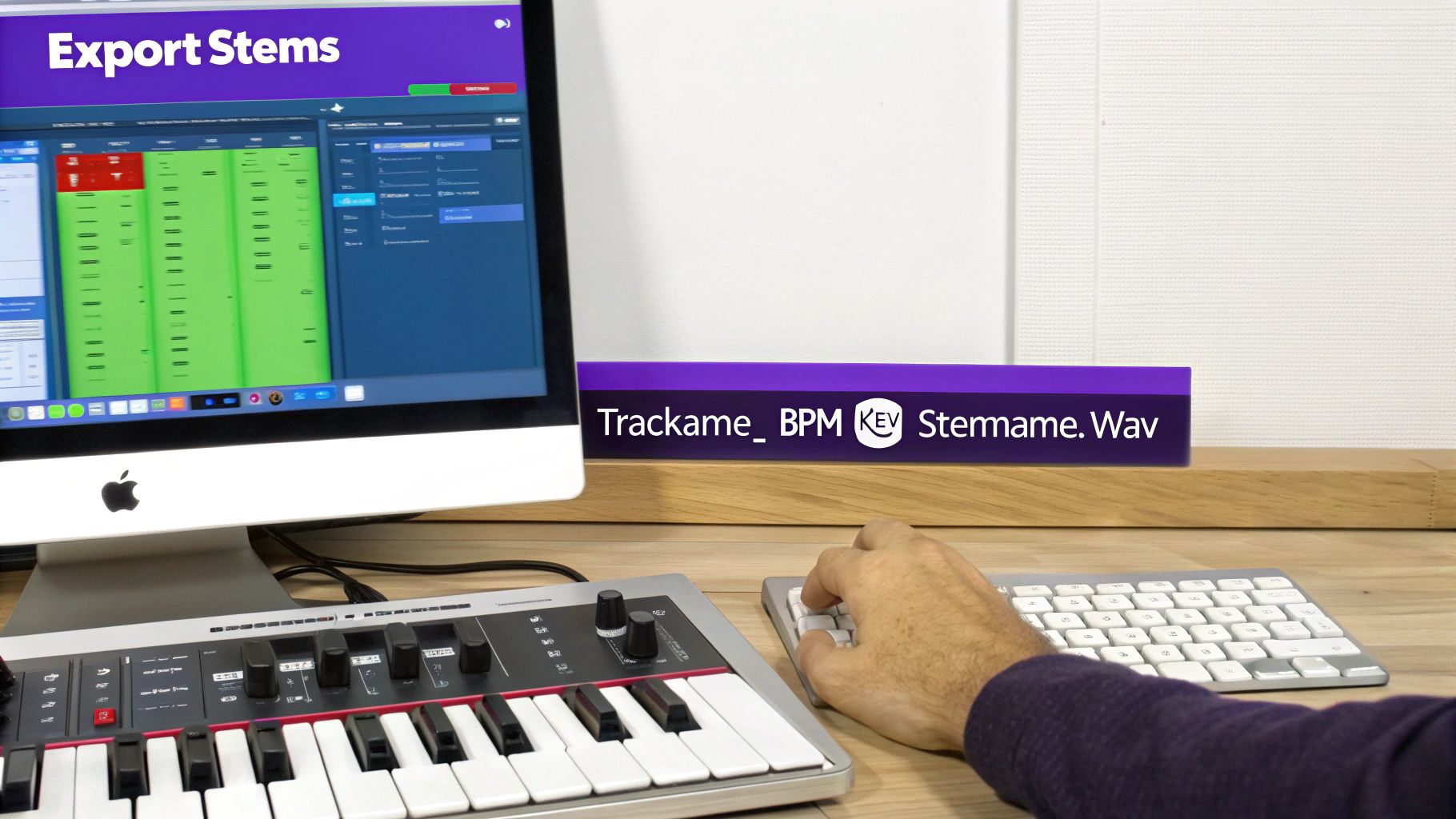
TrackName_BPM_Key_StemName.wav
Here’s what that looks like in action:
CosmicDrift_140_Am_Drums.wavCosmicDrift_140_Am_Bass.wavCosmicDrift_140_Am_Synths.wavCosmicDrift_140_Am_Vocals.wav
This simple habit instantly tells the next person all the vital info they need and immediately marks you as a producer who takes their craft—and other people’s time—seriously.
Unlocking Your Creativity with Construction Kits
Alright, so now that you’ve got a handle on what stems are and how to make them, let’s talk about one of the coolest ways to use them: the construction kit. These kits are basically professional tracks, broken down and handed to you as a complete set of high-quality stems.
Instead of just getting a folder of random loops, a construction kit gives you the full DNA of a song—the drum stem, the bass stem, the synth stem, all of it. It’s a game-changing tool that fast-tracks your learning by letting you peek behind the curtain of a finished, polished track.
Think of it like getting the blueprints to a professionally built house. You get to see exactly how the foundation was laid, how the walls connect, and how every single piece fits together to create the final product.
Building a Beat in Minutes with FL Studio
Construction kits are built for speed and learning, especially in a DAW like FL Studio. The workflow couldn’t be simpler. Just drag and drop the stems right into your Playlist, and instantly, you have a full song arrangement ready to go.
This is more than just assembling pieces; it’s a hands-on masterclass in arrangement and sound selection. You immediately see how a pro producer layered the drums under the bass or how they made the synth melody play off the vocal chops.
Key Insight: Stems have become a production standard because they save a massive amount of time. A complex project with over 150 tracks can be boiled down to just 12 stems, cutting down what an engineer has to manage by over 85%. Construction kits put this efficiency right in your hands, letting you build a competitive arrangement in minutes.
A Practical Toolkit for Growth
The real magic of construction kits is their flexibility. They aren’t just for copying—they’re a launchpad for your own creativity.
Once you have the stems loaded into your project, the real fun begins:
- Swap Elements: Don’t like the drums? Mute the included drum stem and program your own beat under the melodic parts.
- Add Your Flavor: Use the MIDI files that often come with the kit to layer your own synth sounds on top of the existing melodies.
- Create Something New: Chop up an instrument stem, rearrange it, and build an entirely new track around a few cool sections.
This process bridges the gap between knowing the theory and actually doing it, helping you finish more tracks, faster. By deconstructing and rebuilding professional arrangements, you start to internalize the skills you need to create your own original music from scratch. Exploring a library of professional sound kits is one of the quickest ways to level up your entire production game.
As you start working with stems, a few questions inevitably pop up. Everyone asks them. Let’s clear the air on the most common points of confusion so you can get back to what matters—making music.
Think of this as your quick-reference guide for the stuff that trips up a lot of producers, new and old. Getting these details right is what separates the pros from the hobbyists.
Whats the Difference Between a Single Track and a Stem?
This is the big one, and it’s easy to get them mixed up at first.
A single track (sometimes called a multitrack) is just one, isolated sound. It’s the raw ingredient. Think of a single kick drum recording, one lead vocal take, or a lone guitar part.
A stem, however, is a group of those ingredients already mixed together. It’s a stereo file that combines several related tracks. So, your “Drum Stem” isn’t just the kick—it’s the kick, snare, hi-hats, toms, and cymbals all blended into one cohesive audio file.
Key Distinction: A single track is one instrument. A stem is a sub-mix of multiple related instruments. When you import all the stems for a song, they should perfectly recreate the final mix.
Should I Export Stems with Master Bus Effects On?
The short answer here is almost always a hard no.
Your master bus is where you put the final polish on a track—things like a limiter, a final EQ tweak, or a bus compressor that “glues” the whole mix together. This processing is meant for the entire song at once.
If you export each stem with those master effects on, you’re essentially mastering your track multiple times over. The drum stem gets limited, the synth stem gets limited, the vocal stem gets limited… you get the idea. When you put them all back together, you’ll have a distorted, over-compressed mess that sounds nothing like the mix you worked so hard on.
- The right way: Always bypass or turn off all plugins on your master fader before you start exporting stems.
- The goal: Your stems should add up to sound exactly like your final mix, just without the final mastering chain. This gives a mastering engineer (or a collaborator) a clean, dynamic version to work with.
How Do Construction Kits Help Me Learn Production?
Construction kits are one of the best learning tools out there, period. Why? Because they’re basically a finished, professional track pulled apart into its core stems, giving you a complete blueprint of how it was made.
Instead of just listening to a finished song and trying to guess what’s going on, you get to see under the hood. When you drag the stems from a quality kit into a new FL Studio project, you can:
- Analyze the Arrangement: You can literally see how a pro builds energy. Notice where they brought in the pads, where they dropped the drums for impact, and how they layered sounds in the chorus. It’s like a visual map of a great arrangement.
- Study Sound Selection: Want to know why the bass and kick sound so good together? Just solo the bass stem and the drum stem. You can isolate any part of the song to really understand the texture, tone, and character of the sounds the producer chose.
- Practice Remixing and Rebuilding: This is where the real learning happens. Mute the drum stem that came with the kit and try programming your own beat to the melodic parts. Swap out the synth lead for one of your own. This is active, hands-on practice—way more effective than just watching another tutorial.
Using stems from construction kits closes the gap between theory and actual practice. You stop being a passive listener and become an active creator, which is hands-down the fastest way to get better and find your own sound.
At FL Studio Sound Packs, we build our construction kits to be the ultimate educational tool for beat makers. They give you the stems, MIDI, and loops you need to deconstruct professional tracks and apply those techniques to your own music instantly.
[Explore our full library of sound kits at https://www.flstudiosoundpacks.com and start building better beats today.]