
Your Ultimate Guide to FL Studio Free Sample Packs
Let’s get one thing straight: the idea that “free” means “low-quality” is a myth. For producers in the know, high-quality FL Studio free sample packs are a secret weapon. They’re perfect for sparking instant creativity, keeping your sound library fresh, and even making hit records without dropping a single penny.
Why Free Sample Packs Are an Essential Producer Toolkit
It’s easy to think that free samples are just for beginners, but that couldn’t be further from the truth. In reality, they are a vital resource for producers at every single level of the game.
The sheer volume and variety of sounds available for free can instantly snap you out of a creative rut. Instead of spending hours trying to engineer the perfect kick drum from scratch, you can audition dozens in seconds and keep that creative momentum flowing. It’s about working smarter, not harder.
This immediate pipeline to new sounds is crucial for staying inspired. When you have a solid, well-curated library of free packs, you’re never more than a few clicks away from the perfect hi-hat, a ground-shaking 808, or an infectious melodic loop. This is especially true in fast-moving genres like trap and hip-hop, where the right drum sounds are everything.
More Than Just Sounds
Modern free sample packs have evolved way beyond just folders of one-shot drum hits. Many of them now include incredibly powerful tools that can speed up your learning curve and streamline your entire workflow.
When you download a good free pack, you’re often getting much more, including:
- Construction Kits: Think of these as deconstructed beats. You get all the individual stems (like the kick track, synth track, bass track, etc.) from a finished beat. Drag them into FL Studio, and you can see exactly how a professional-quality track was built, layer by layer. It’s like getting a private lesson in arrangement, sound selection, and mixing.
- MIDI Files: These files contain the raw note data for melodies, chord progressions, and drum patterns. You can drag a MIDI file onto any VST instrument you own and instantly hear a professional chord progression played by your favorite synth. Or, you can take a complex drum pattern and swap in your own sounds. It’s total creative freedom.
These elements turn a simple pack of sounds into an educational powerhouse. You’re not just getting assets; you’re getting a blueprint for making better music.
By analyzing how the pros structure their beats through construction kits, you absorb arrangement techniques that would otherwise take years to master. It’s one of the fastest ways to elevate your production skills.
Fueling a Massive Creative Community
The demand for these free resources is absolutely huge. With FL Studio holding down as much as 65% of the home production market, you have millions of producers constantly on the hunt for fresh sounds.
This massive user base is a huge reason why so many incredible free packs exist. Sound designers and labels know this is the best way to connect with a thriving, creative community. If you want to dive deeper, you can explore more about the current state of music production stats to see the full picture.
Ultimately, building a diverse library of FL Studio free sample packs is a smart, strategic move. It keeps your sound palette interesting, gives you invaluable learning tools, and ensures you always have the right sound on hand for any idea—all without touching your budget. It’s an indispensable part of any modern producer’s toolkit.
Where to Find Quality Free Sample Packs You Can Trust
Let’s be real: finding high-quality FL Studio free sample packs can feel like digging through a digital bargain bin. The internet is overflowing with options, but a lot of them are low-quality, disorganized, or tangled up in confusing licensing terms. If you want to build a sound library that actually inspires you, you need a smarter strategy than just downloading everything in sight.
Instead of hoarding gigabytes of unusable sounds that just clutter up your FL Studio browser, it’s better to focus on a few reliable channels where quality comes first. A great place to start is with dedicated sample marketplaces that have curated free sections.
Many professional sound design companies offer free packs as a taste of what their premium catalogs offer. This is a win-win: you get top-tier sounds that have gone through proper quality control, and they get to introduce you to their brand. When you’re browsing, look for sites that give you clear audio previews, detailed descriptions of the pack’s contents, and explicit royalty-free licensing info right on the download page.
Digging into Producer Communities
Some of the best hidden gems aren’t on big, flashy websites. They’re tucked away in communities where producers share sounds they’ve made themselves. Platforms like Reddit are goldmines for this, hosting active communities where creators are constantly dropping their own custom-made kits.
One of the best spots is the subreddit r/Drumkits. It’s a nearly endless feed of user-submitted packs, often built for specific genres like trap, lo-fi, or drill. Before you hit download, it’s always a good idea to scroll through the comments and see what other producers are saying about the quality.
When you’re active in these communities, try these tips:
- Be specific with your search. Instead of just typing “free samples,” try searching for “free vintage drum breaks” or “royalty-free trap melody loops” to zero in on exactly what you need.
- Give back to the community. If you make your own sounds, think about sharing them! Being an active participant builds goodwill and often leads to discovering exclusive packs from other members who appreciate the effort.
Spotting Red Flags and Ensuring Quality
As you explore, you need to develop a good sense for what to avoid. A trustworthy source will never make you jump through a dozen hoops just for a download. Be wary of any site that demands excessive personal info or forces you to fill out endless surveys.
Another huge red flag is vague licensing. If you can’t easily find a “license.txt” file or a clear statement about commercial use, it’s best to just walk away. Using samples without the right clearance can lead to massive headaches later, especially if you plan on releasing your music on platforms like Spotify or YouTube. To get a better handle on this, you can read our detailed guide to navigating free sound packs safely.
The demand for these sounds is massive. The Creator Sample Pack Marketplaces market hit USD 1.23 billion globally, which just goes to show how essential these resources are. This market is expected to keep growing, largely thanks to independent creators who rely on royalty-free sounds to produce their music. You can dig into more stats about this growing market on Dataintelo.com.
By focusing your search on reputable marketplaces and trusted communities, you can build a professional-grade sample library without spending a dime. It’s a strategic approach that means less time searching and more time creating.
To make things even clearer, here’s a quick breakdown of where to look.
Comparing Sources for Free FL Studio Sample Packs
This table gives you a quick reference for deciding where to focus your search for high-quality, royalty-free sounds.
| Source Type | What to Look For | Pros | Cons |
|---|---|---|---|
| Professional Marketplaces | Curated free sections, clear licensing, audio previews. | High-quality, reliable, professionally organized. | Smaller selection of freebies, often a teaser for paid products. |
| Producer Communities (e.g., Reddit) | User feedback, upvotes, specific genre kits. | Huge variety, unique sounds, direct community interaction. | Quality can be inconsistent, licensing sometimes unclear. |
| Sound Designer Blogs/Websites | Email sign-up freebies, “taster” packs. | Often unique and high-quality, builds connection with creator. | Smaller packs, may require signing up for a newsletter. |
| YouTube Channels | “Free pack in description” links, tutorials with assets. | Great for genre-specific sounds, often includes tutorials. | Downloads can be behind ad-links, quality varies wildly. |
Ultimately, a mix of these sources will give you the most diverse and powerful library. Happy hunting
Integrating and Organizing Your New Samples in FL Studio
So, you’ve got a growing arsenal of FL Studio free sample packs. That’s awesome. But a massive library of sounds is only useful if you can actually find what you need the moment inspiration hits. Having gigabytes of fire kicks and loops is pointless if they’re all lost in a chaotic downloads folder.
Let’s get your sounds organized and wired directly into the FL Studio Browser where they belong.
Building Your Sound Library the Right Way
A little prep work on your hard drive saves a ton of headaches later. Before you even open FL Studio, create one main folder for all your sounds. Call it something simple like “My Sample Library” or “Production Sounds.”
Inside that master folder, create a new subfolder for every single pack you download. This clean structure keeps everything tidy and makes it incredibly easy for FL Studio to scan and find your sounds without getting bogged down.
Adding Your Packs to the FL Studio Browser
With your folders neatly organized, the next step is to tell FL Studio where to look. This is a quick, one-time setup for each main folder you create, and it makes every sample you own instantly accessible from the Browser panel on the left.
The whole idea is to create a simple, repeatable process for growing your library.
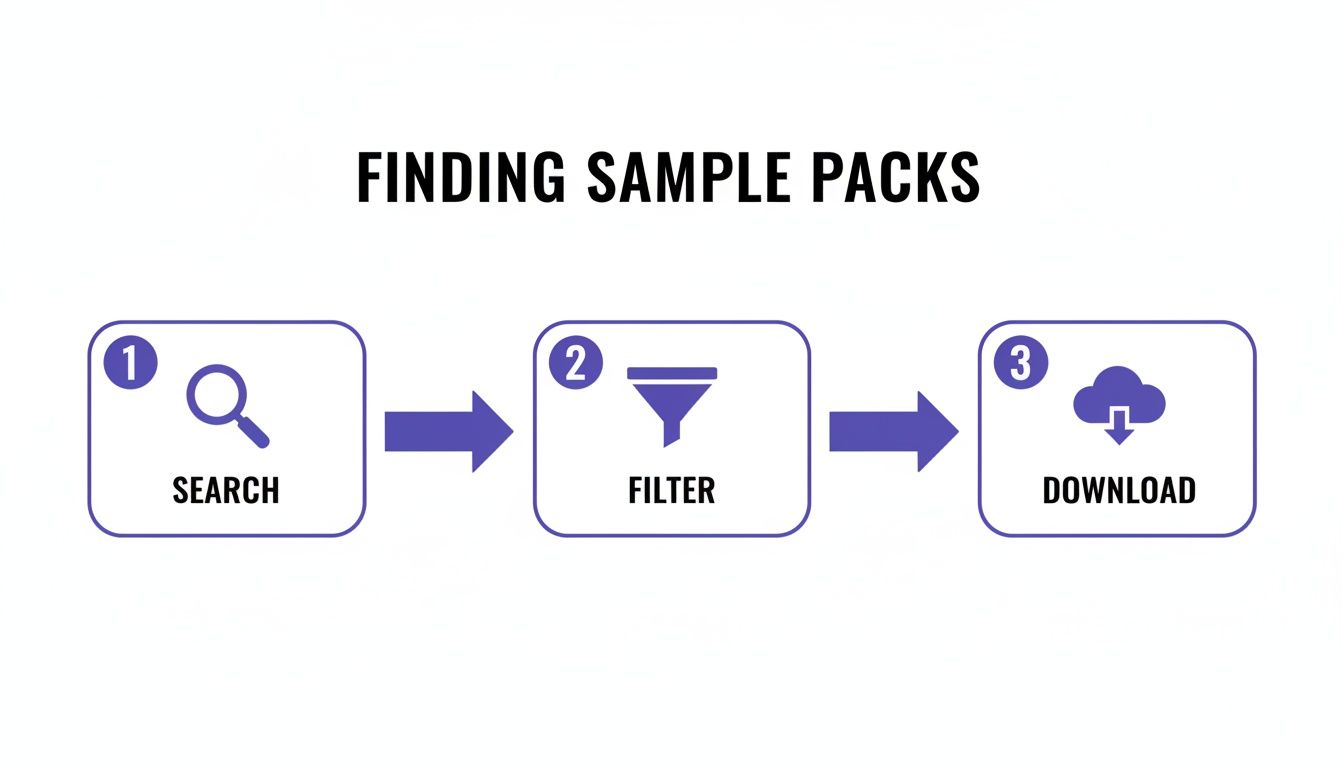
This keeps you focused on adding only high-quality, intentional sounds to your collection.
To link your new library, we’ll dive into the File Settings menu. It’s easier than it sounds:
- First, head up to Options > File Settings. This opens the window where you tell FL Studio about all your external files.
- Look for the Browser extra search folders list. Click on one of the empty folder icons.
- A window will pop up. Just navigate to that master sample folder you created earlier and select it.
- That’s it! Your folder now appears in the list, and all its subfolders and samples will pop up in the Browser.
Keeping Your Workflow Fast and Clean
Once your folders are linked, your workflow becomes second nature. Just open the Browser, click into your custom library, find the exact sound you want, and drag it right into the Channel Rack or Playlist.
Pro Tip: Don’t sleep on the Browser’s own organizational tools. You can right-click any folder and assign it a color to make it pop. Try making all your drum folders red and your synth loop folders blue for at-a-glance recognition during a session.
If you add a new pack to your master folder and don’t see it in the Browser, just click the “Reread structure” button (it looks like a circular arrow) at the top of the Browser to give it a quick refresh.
For a deeper dive, our dedicated guide on how to use samples in FL Studio covers even more ground. Ultimately, solid organization is the key to a fast, uninterrupted creative flow.
Making Sense of Sample Pack Licensing
Let’s talk about something most producers would rather ignore: licensing. Skipping the legal side of FL Studio free sample packs is one of the biggest mistakes you can make. A killer track can turn into a legal headache if you’ve used a sound without the right permission.
It’s not as scary as it sounds, so let’s clear up the confusion.
The most important term you need to burn into your memory is royalty-free. This is the absolute gold standard for any sample pack you use. In plain English, it means that once you legally get your hands on the pack, you can use those sounds in your commercial music—songs you release on Spotify or Apple Music—without ever paying the creator another dime.
Think of it this way: you’re buying a license to use the sound, not buying the sound itself. It’s a simple, one-time deal that keeps your music career moving.
Royalty-Free vs. Copyright-Free
Now, here’s where a lot of people trip up. It’s crucial not to mix up “royalty-free” with “copyright-free.” They are worlds apart.
A royalty-free sound is still owned and copyrighted by its creator. They are just giving you a specific set of permissions to use it.
Copyright-free, on the other hand, means the sound is in the public domain. You can pretty much do anything you want with it. But honestly, truly copyright-free sounds are incredibly rare.
Key Takeaway: Always assume a sample is copyrighted unless it’s explicitly stated otherwise. To keep your music safe for commercial release, only use packs that are clearly labeled “100% royalty-free.”
This isn’t just a suggestion; it’s how the entire professional music world operates. The Creator Sound Packs market has ballooned to USD 1.2 billion, and the pros—who make up 48% of the revenue—rely entirely on royalty-free sounds to produce music quickly without legal risks. This demand has pushed reputable marketplaces to make their licensing crystal clear. You can find more insights on the creator sound pack market on marketintelo.com.
How to Check a Sample Pack’s License
So, how can you be sure a pack is safe to use? It’s usually pretty straightforward.
Once you download and unzip a pack, dig around for a simple text file. It’s often named license.txt, readme.txt, or something similar. This little file is your legal guide. It will spell out exactly what you can and can’t do. For example, almost all licenses let you use the sounds in your tracks but will forbid you from reselling the raw, isolated samples.
If you don’t see a text file, check the website where you downloaded the pack. Look for a “Terms of Service” or “FAQ” page.
If you can’t find any licensing info at all, do not use the samples. It’s far better to be safe than sorry. For a deeper dive into this, check out our guide on finding legitimate royalty-free drum loops. Protecting your music starts with understanding these simple rules.
Creative Techniques to Make Free Samples Your Own
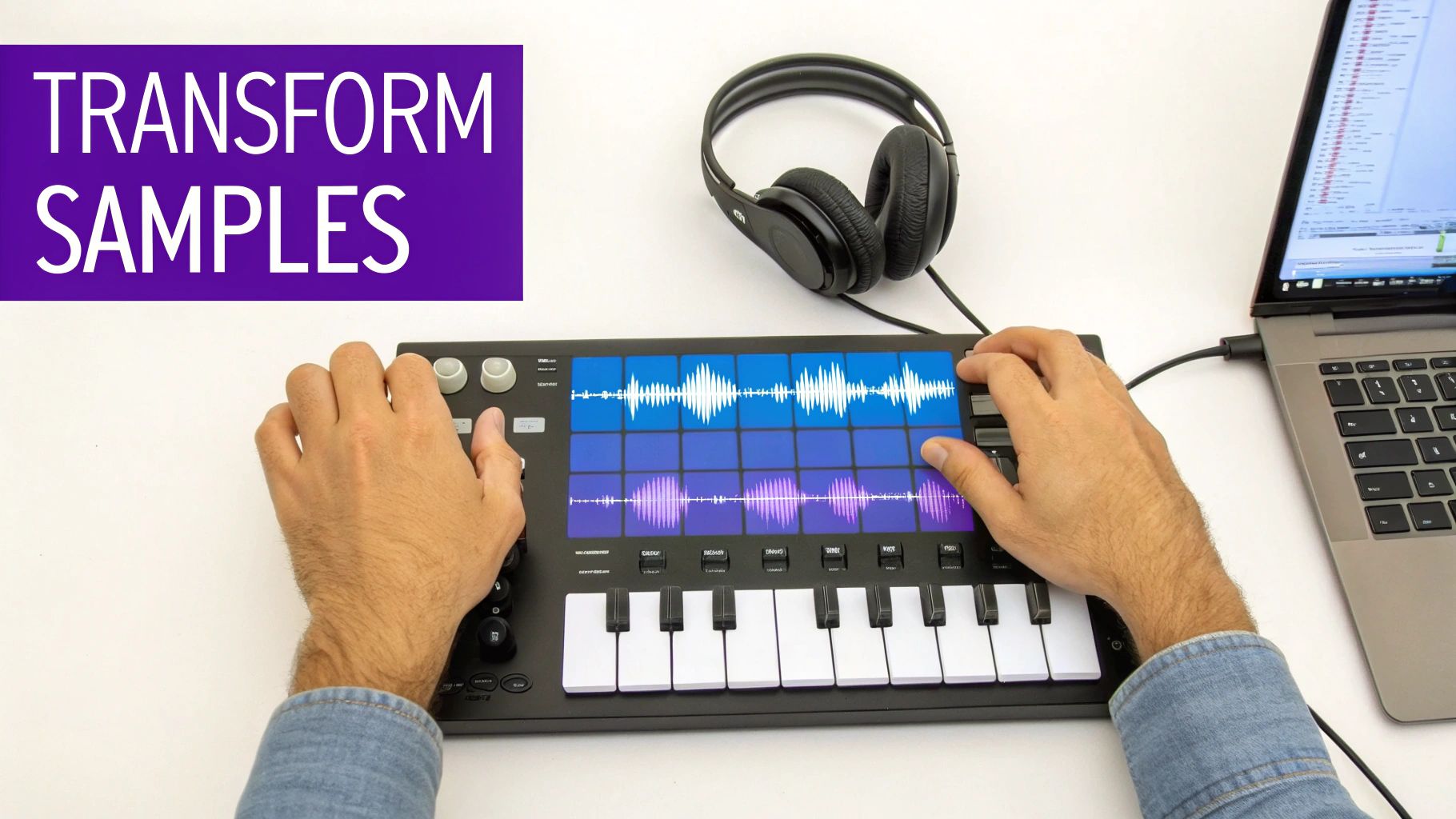 Dragging and dropping a loop into your project is a solid start, but the real magic happens when you stop thinking of it as a finished piece. Treat these free sounds like raw clay. The goal is to reshape, twist, and combine them until they sound like you.
This is how you stand out from the crowd. Even if thousands of other producers download the exact same FL Studio free sample packs, your unique processing is what makes the final track yours. Let’s get our hands dirty and turn those generic sounds into signature elements.
Chopping and Rearranging for New Melodies
That four-bar drum break or melodic loop? It’s not one sound—it’s dozens of possibilities waiting to be unlocked. Instead of just looping it, your first move should be to slice it up and create something entirely new. FL Studio has the perfect tools for the job.
Just drop any audio clip into Slicex or Fruity Slicer. These plugins are brilliant; they automatically find the transients (the initial hit of each drum or note) and map each tiny slice to a key on your MIDI keyboard. All of a sudden, that static loop becomes a playable instrument.
- Rebuild drum patterns: Take an old breakbeat, slice it, and use the individual kick, snare, and hat hits to program a completely new rhythm that fits your track perfectly.
- Invent new hooks: A vocal phrase or synth loop can be chopped into syllables or notes. Play them back in a different order, and you’ve just invented a melody that didn’t exist a minute ago.
This technique is a cornerstone of hip-hop, but it’s an incredible creative weapon for producers in any genre.
Don’t just use samples; deconstruct them. A single four-bar loop can become the source material for your entire track’s percussion, bassline, and melody if you’re willing to slice it, pitch it, and rearrange its DNA.
Layering Samples for Depth and Power
One of the quickest ways to build a sound that is uniquely yours is by layering multiple samples. This works wonders for drums. Your kick sounds a bit thin? Don’t immediately reach for an EQ—try layering another kick underneath it first.
For instance, you could take a kick with a nice, punchy mid-range and layer it with another one that has a deep, subby low-end. Tweak the volumes of each until they fuse into one powerful, perfect kick. The same idea applies to pretty much everything:
- Snares: Combine a snare with a sharp, cracking transient with another that has a fat, weighty body.
- Hi-Hats: Layer a clean, crisp closed hat with a noisy, gritty one from a lo-fi pack to add some welcome texture.
- Synths: Stack two different pad sounds and pan them slightly left and right. Instantly, you have a wider, more immersive soundscape than either could create on its own.
Mangling and Transforming with Effects
FL Studio is loaded with native effects that can completely obliterate a sample and rebuild it into something unrecognizable. It’s time to move past basic reverb and delay and get a little more destructive.
Gross Beat is a beast for this. It’s famous for creating rhythmic stutters, glitches, and tape-stop effects. Drop it on a melody or even your whole drum bus and just flip through the presets. You’ll stumble upon happy accidents and instant inspiration.
Even a simple tool like Fruity Reeverb 2 can be used for extreme sound design. Crank the “Wet” knob to 100% and the “Decay” time all the way up. This will wash a sound out completely, turning a sharp synth pluck into a dreamy, atmospheric pad.
By combining these three approaches—chopping, layering, and mangling with effects—you guarantee that no one else’s music will sound like yours, even if you’re all pulling from the same pool of FL Studio free sample packs.
Got Questions About Free Sample Packs? We’ve Got Answers.
As you start digging into the world of FL Studio free sample packs, a few common questions are bound to pop up. It happens to everyone. You might be wondering about legal stuff, why your new sounds aren’t showing up, or how to avoid sounding like every other producer using the same kit.
Getting these things sorted out early saves a ton of headaches and lets you get back to what you actually want to do: make music. Let’s clear up some of the most common concerns.
Can I Use Any Free Sample Pack in a Song I Want to Sell?
This is the big one, and the answer is a hard no. Just because a pack is “free” to download doesn’t mean it’s free to use in a commercial track—one you’d upload to Spotify, Apple Music, or sell on a platform like BeatStars.
The magic words you’re looking for are royalty-free. This is your green light. It means the creator gives you permission to use the sounds in your music without having to pay them royalties later on. Always check for a license.txt or readme.txt file in the download. Any reputable source will include one.
If you find a pack that’s just a collection of sounds ripped from famous songs, run the other way. Using copyrighted material without clearance is a fast track to getting your music taken down or, worse, facing legal trouble.
Here’s the golden rule: If you can’t find a clear royalty-free license, don’t use the pack. It’s far better to be safe and skip a few sounds than to jeopardize your entire track.
Help! My New Samples Aren’t Showing Up in the FL Studio Browser.
We’ve all been there. You download a fire new kit, drop it in your folder, and… nothing. It’s nowhere to be seen in the FL Studio Browser. Don’t worry, this is almost always a super simple fix.
First things first, you have to tell FL Studio where your samples live. Go to Options > File Settings in the menu bar. Look for the Browser extra search folders list and make sure the folder containing your new sounds is added there.
If it’s already on the list, you just need to give the Browser a little nudge to rescan.
- Hit the Refresh Button: At the very top of the Browser panel, there’s a little circular arrow icon. That’s the “Reread structure” button. Click it, and FL Studio will rescan all your folders and find the new additions.
- Did You Unzip? This catches a lot of people. FL Studio can’t see the audio files inside a
.zipor.rararchive. You have to extract them first. Also, double-check that the files are a standard format like.WAVor.MP3.
Seriously, one of these steps will solve the problem more than 90% of the time. You’ll be back to making beats in seconds.
How Do I Use Free Packs Without Sounding Generic?
The secret to sounding original isn’t about what samples you use, but how you use them. Thousands of other producers might have the same 808, but your creativity is what will make it sound unique. Think of samples as your raw ingredients, not the final meal.
Don’t just drag and drop a loop and call it a day. Start mangling things. Throw a loop into Slicex or Fruity Slicer to chop it up and rearrange it into a completely new pattern. A generic melody can become something totally unrecognizable and unique to you.
Get creative with layering, too. Take the sharp attack of one snare and layer it with the full body of another to create a custom sound. Pitch samples up or down, reverse them, or time-stretch them into something new. Use effects like Gross Beat to create stutters and glitches, or drench a sound in reverb and then resample the wet signal. Your signature sound is born from these combinations and experiments.
Ready to build a professional library? FL Studio Sound Packs offers a massive, constantly updated collection of royalty-free loops, drum kits, and MIDI files to give your productions an instant edge.
Explore Our Full Catalog and Download Rotating Freebies Now!