
What Is MIDI Music A Guide to Modern Music Creation
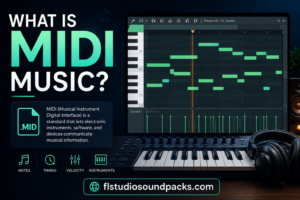
Here’s a fact that messes with a lot of new producers’ heads: MIDI isn’t music. It’s not sound. It’s not audio. So, what is it?
Think of MIDI as a set of instructions. It’s the digital equivalent of a recipe or a blueprint that tells a synthesizer or a virtual instrument in your computer what notes to play, when to play them, and with how much force. This data-first approach is a game-changer, giving you incredible freedom to swap out instruments or tweak a performance long after you’ve laid it down.
Understanding MIDI: The Blueprint for Digital Music
Remember those old player pianos? The paper roll with all the punched-out holes isn’t the music itself; it’s the instruction sheet telling the piano exactly which keys to press and when.
That’s a perfect analogy for MIDI. MIDI stands for Musical Instrument Digital Interface, and it works on that very same principle, just for the modern digital studio. It’s the universal language that lets your keyboard, computer, drum machine, and other gear all talk to each other.
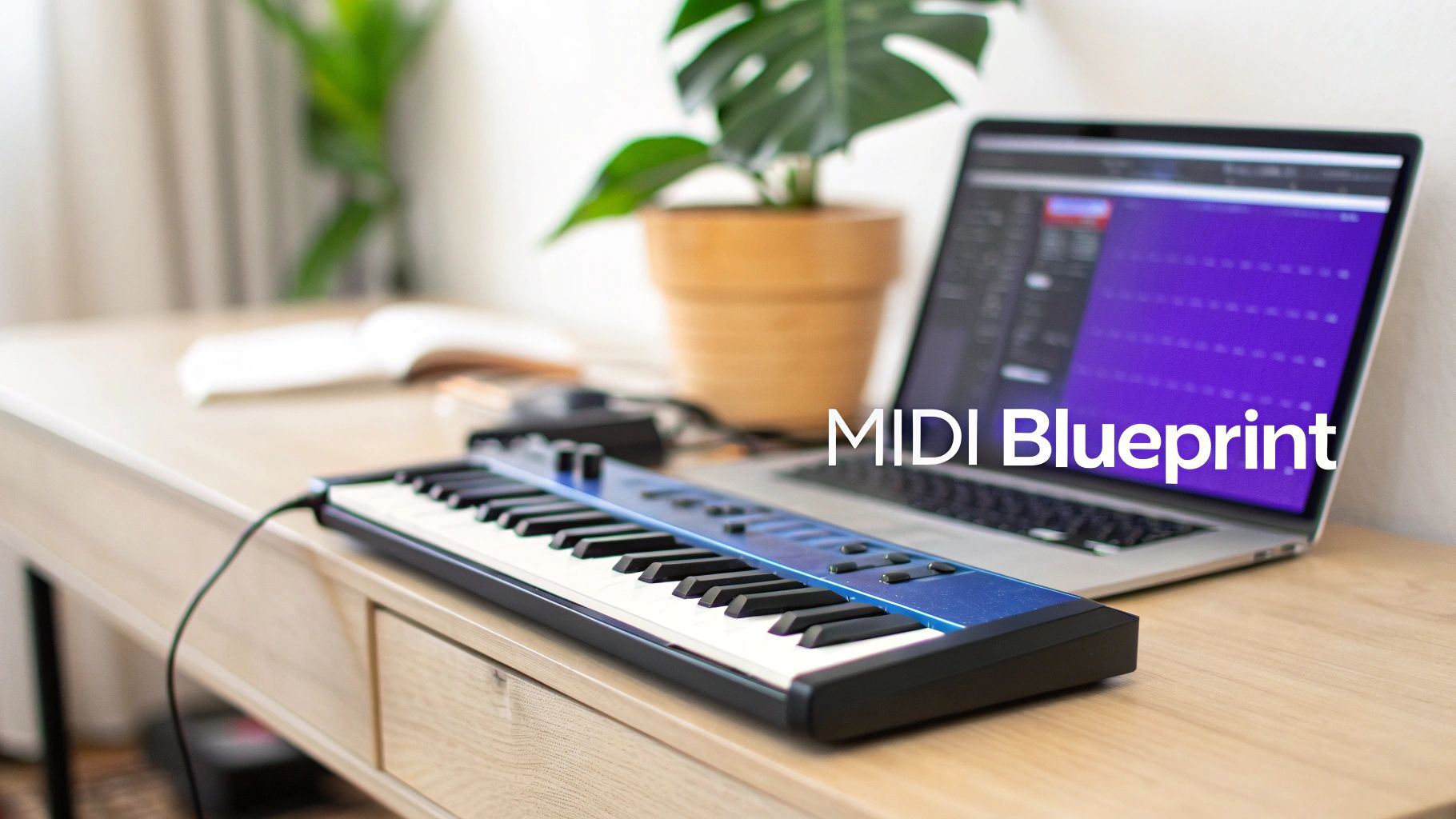
When you press a key on your MIDI keyboard, you’re not actually recording any sound. Instead, you’re sending a stream of simple digital messages that capture your performance, but without any actual audio waves attached.
The Core MIDI Messages
At its heart, MIDI communicates a few crucial pieces of information for every single note. This performance data is what makes it so incredibly powerful and easy to edit later on.
- Note On/Off: This is the most basic command. It simply tells the instrument when a note starts and when it stops—like pressing and releasing a piano key.
- Note Number: Every key on the keyboard corresponds to a number from 0 to 127. This message tells the instrument the exact pitch to play.
- Velocity: This measures how hard or soft you pressed the key, also on a scale from 0 to 127. A high velocity triggers a loud, aggressive sound, while a low velocity creates a soft, gentle one.
The real magic of MIDI is that it’s completely editable. Since it’s just data—the recipe, not the finished cake—you can change any ingredient you want, whenever you want. You can swap the instrument, fix a wrong note, adjust the tempo, or change the dynamics long after the initial performance is over.
This separation of the instructions from the sound gives producers in a DAW like FL Studio a massive creative advantage. A simple MIDI file from a sound pack can be the spark for a fully customized track, letting you map timeless melodies and chord progressions to your favorite virtual instruments with just a few clicks.
How MIDI Rewrote the Rules of Music Production
To really get why MIDI is such a big deal, you have to picture the music world back in the early 1980s. Imagine every synthesizer, drum machine, and keyboard was its own little island. A Roland synth couldn’t talk to a Yamaha drum machine, and neither had a clue what a Sequential Circuits keyboard was saying.
This was a huge headache for musicians and producers. If you wanted to layer sounds from different brands, you were stuck recording each one to tape, one at a time. It was slow, expensive, and left zero room for error. There was simply no universal language to connect the awesome new electronic gear that was hitting the market.
The Vision for a Universal Language
This glaring problem didn’t go unnoticed. The idea for MIDI (Musical Instrument Digital Interface) actually started in 1981 with two brilliant engineers on opposite sides of the planet: Dave Smith of Sequential Circuits and Ikutaro Kakehashi of Roland Corporation. Both saw the same wall limiting musicians and knew there had to be a way to knock it down.
They pictured a simple, reliable standard that would let any electronic instrument communicate musical ideas, no matter who made it. Their goal was to create a common language for music gear. You can explore the detailed history of this groundbreaking standard and see how these innovators literally connected the music world.
Their collaboration led to a legendary moment at the January 1983 NAMM Show. On stage, two synths from competing companies were linked by a single five-pin cable. Someone played a note on one keyboard, and the other one instantly played the exact same note, perfectly in sync. That simple demo proved it could be done. The first official MIDI spec was published later that year, and the rest is history.
From Exclusive Studios to Home Setups
This wasn’t just about connecting a couple of keyboards; it was a revolution. MIDI didn’t just fix a technical problem—it single-handedly made the modern home studio possible. By creating a standard language, it threw the doors open for computers, synths, and drum machines to finally work together as one cohesive system.
MIDI effectively leveled the playing field. It tore down the walls between expensive, brand-specific ecosystems and paved the way for a more accessible, interconnected approach to making music.
Suddenly, producers weren’t trapped in one brand’s ecosystem. They could finally mix and match their favorite gear, building custom rigs that fit their unique sound and workflow. This new freedom unleashed a wave of creativity, allowing a whole generation of artists to experiment in ways that were previously unimaginable or just way too expensive.
That legacy is what you, as an FL Studio producer, tap into every time you drag a MIDI file from an FL Studio Sound Packs construction kit and drop it into your project. It’s that same spirit of connection and creativity, made possible over 40 years ago.
MIDI vs Audio: A Producer’s Guide to Creative Freedom
Getting your head around the difference between MIDI and audio is one of those real “lightbulb” moments for every producer. The concept is simple, but it completely changes how you think about your workflow and unlocks a ton of creative possibilities.
Think of it like this: an audio file (like a WAV or MP3) is a finished photograph of a gourmet meal. You can see it, hang it on the wall, and admire it. But you can’t go back and change the ingredients—the onions are already cooked in, the spices are blended. It’s a final, baked-in product.
A MIDI file, on the other hand, is the recipe for that meal. It’s just a set of simple instructions: “add a C-sharp for two beats,” “play this chord softly,” “hold this note.” With the recipe, you have total control. Don’t like the piano sound? Swap it out for a gritty synth. Want to tweak the melody? Just move a few notes around.
Key Differences in Practice
This whole “recipe vs. photograph” thing really matters in three key areas: editability, file size, and the load on your computer. That flexibility you get with MIDI gives you a massive edge when you need to make a track your own.
- Editability: With audio, you’re pretty much stuck with applying effects like reverb, EQ, or trying to stretch the clip (which often butchers the quality). But with MIDI, you can dive in and change individual notes, fix the timing, adjust how hard each key was “pressed,” or swap the entire instrument for something new.
- File Size: MIDI files are ridiculously small. They’re just text-based instructions, not massive audio waveforms. A complex song’s MIDI file might be just a few kilobytes, while the final audio version could easily be hundreds of megabytes.
- CPU Load: Here’s the trade-off. Audio files are usually easy on your CPU because your computer just has to play back a recording. MIDI, however, makes your computer generate the sound in real-time using a virtual instrument, which can sometimes be more demanding.
To really nail down these differences, let’s put them side-by-side.
MIDI vs Audio (WAV) At a Glance
This table breaks down the fundamental differences between MIDI data and audio files, helping producers choose the right format for their needs.
| Attribute | MIDI | Audio (WAV) |
|---|---|---|
| What It Is | A set of instructions (the “recipe”) | A recorded sound wave (the “photograph”) |
| Editability | Fully editable: change notes, timing, instrument | Limited: apply effects, cut, stretch |
| File Size | Very small (kilobytes) | Very large (megabytes) |
| CPU Usage | Can be high (real-time sound generation) | Generally low (simple playback) |
| Sound Quality | Depends on the virtual instrument used | Depends on the original recording quality |
| Best For | Composing, arranging, sound design | Final recordings, vocals, sampling |
Ultimately, it comes down to choosing the right tool for the job. You’re not picking a winner, just deciding what you need at that moment in your workflow.
The core takeaway is that MIDI offers creative freedom, while audio offers finality and stability. Neither is better; they are just different tools for different stages of production. A common pro workflow is to build tracks using MIDI and then “bounce” them to audio to save CPU power for the final mix.
To see these differences in action, check out our guide on how to use samples in FL Studio, which dives deep into working with both formats.
Why It Matters for FL Studio Users
When you download one of our construction kits, you’ll often get both the audio loops and the MIDI files that were used to make them. Using the audio loops is quick and easy—just drag and drop, and you’re good to go.
But grabbing the MIDI file is where the magic happens. That’s how you make the track uniquely yours. You can take a professionally written chord progression and have it played by your favorite synth in FL Studio, change the key to better fit a vocalist, or completely rewrite the top-line melody to create a brand new hook from scratch.
Bringing MIDI to Life in Your FL Studio Projects
Alright, so you get the theory behind MIDI. That’s the easy part. The real magic begins when you actually start using it to make music in your DAW. For us FL Studio producers, MIDI files from sound packs are like cheat codes—they give you instant access to incredible melodies and chord progressions without needing a music theory degree. This is where the blueprint becomes the building.
The workflow couldn’t be simpler. Just grab a MIDI file from a pack—say, a dope trap melody—and drag it from FL’s browser right onto an instrument in the Channel Rack. Boom. FL Studio instantly loads that pattern into the Piano Roll for that sound. It really is that easy.
Now, at first, it might just play a generic piano sound. The fun starts when you assign that MIDI pattern to a killer virtual instrument. Swap out that boring piano for a modern synth from FLEX, a gritty third-party VST you just bought, or literally any sound you can imagine. The notes themselves don’t change, but the entire vibe and texture of the track transform in an instant.
Think of it this way: a MIDI file is like a recipe. It tells you what to cook, but you get to choose the ingredients (your sounds) to create a totally unique meal (your track).
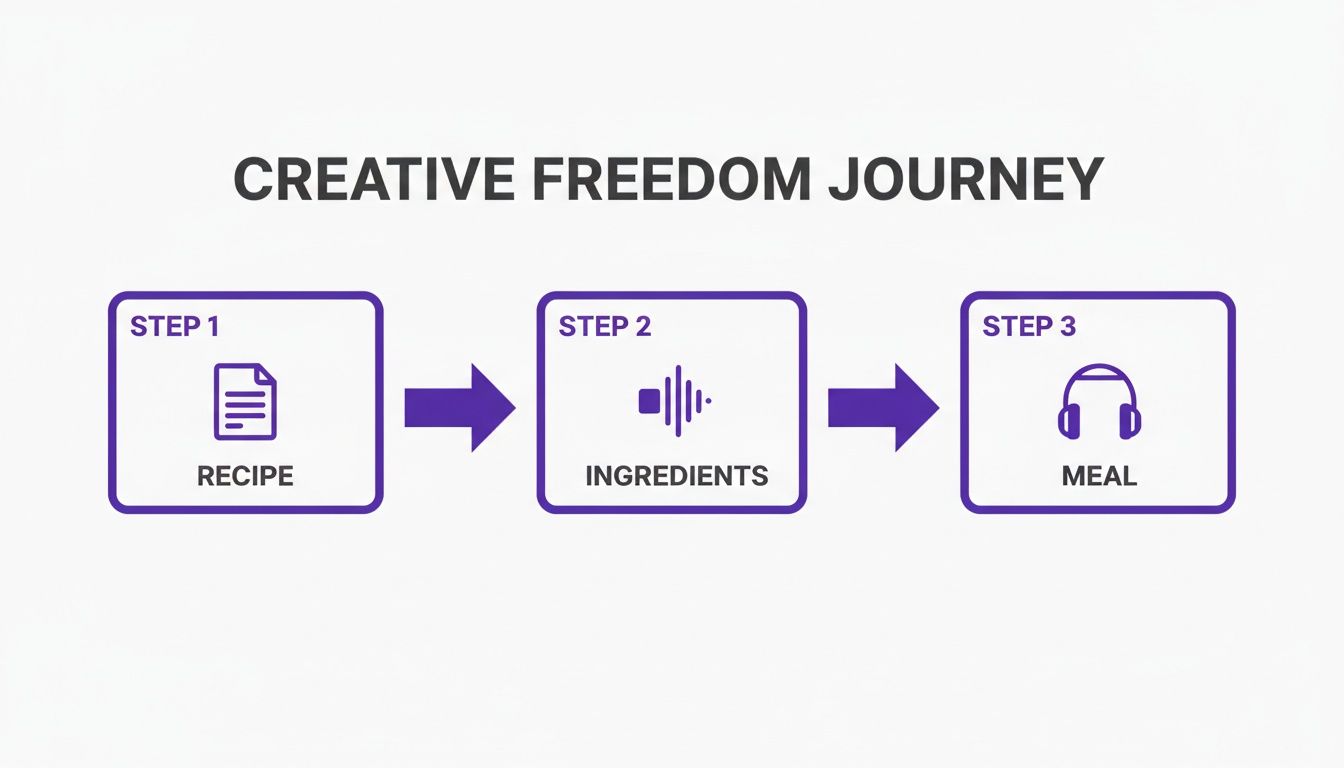
This simple process gets right to the heart of why MIDI is so powerful. It separates the musical performance from the sound, giving you total creative control over the final result.
Editing MIDI in the Piano Roll
Once you’ve got a MIDI pattern loaded, the Piano Roll becomes your personal playground. This is where you can take a pre-made pattern and really make it your own. Just double-click the pattern in the Channel Rack to open it up and see all the notes laid out visually.
From here, you can tweak every single detail of the performance. Don’t like one of the notes in a melody? Just click it and drag it up or down to a new pitch. Want to switch up the rhythm? Go for it. Shorten notes, lengthen them, or move them around on the grid to completely change the timing.
A real power move for making your tracks sound less robotic is to mess with the velocity of each note. This little parameter controls how “hard” a note is hit. Adjusting the velocities in a chord progression or a hi-hat pattern is the secret to adding that human feel and bounce.
Get in there and experiment with these common Piano Roll edits:
- Change Notes: Click and drag notes vertically to change the melody or the voicing of a chord.
- Adjust Timing: Drag the ends of notes to make them longer (legato) or shorter (staccato).
- Tweak Velocity: Adjust those little bars at the bottom of the Piano Roll to add dynamics and expression.
- Quantize: Need things perfectly tight? Use the quantize tool (Ctrl+Q) to snap your notes right to the grid for a clean, polished sound.
Building Tracks Faster with MIDI
For beatmakers grinding out Trap and Hip Hop, MIDI is an absolute game-changer for working fast. Instead of getting stuck trying to play complex keyboard parts, you can use professionally written MIDI to lay down a solid musical foundation in seconds.
For example, you can take a single MIDI chord progression and build your whole track around it:
- Main Melody: Drag the MIDI file onto a powerful synth VST to create your lead sound.
- Bassline: Copy that same MIDI pattern to another channel, this time with a bass instrument. In the Piano Roll, just delete all the higher notes, leaving only the root notes. You’ve now got a bassline that perfectly matches your chords.
- Pads/Atmosphere: Copy the pattern one more time to a channel with a pad sound. Stretch the notes out to make them longer, creating a lush, atmospheric backdrop.
Using this method guarantees that every musical element in your track is perfectly in key and cohesive, because it all came from the same source material. It’s a quick, smart, and powerful way to produce pro-level music. This is especially handy for complex rhythms, and our massive collection of MIDI drum patterns is the perfect place to start for building intricate beats from the ground up.
How MIDI Fueled the Rise of the Bedroom Producer
MIDI did a whole lot more than just connect a couple of keyboards. It completely flipped the script on how music gets made, single-handedly democratizing the entire process. Before MIDI, making professional-sounding tracks was a members-only club. You needed access to a massive commercial studio, which meant you needed a lot of money or a record deal.
The gear was insanely expensive, took up entire rooms, and required a team of engineers to operate. MIDI, paired with the rise of affordable home computers, smashed those barriers to pieces. Suddenly, the power to compose, arrange, and produce a full song wasn’t locked behind studio doors anymore. It was right there in your bedroom.
The Dawn of Home Studio Production
The real game-changer was when MIDI started showing up in home computers. The release of Roland’s MPU-401 sound card in 1984 was a landmark moment. For the first time, regular people with a home computer could produce surprisingly high-quality music.
This one piece of gear kicked off a revolution. While a decent polyphonic synthesizer could set you back thousands, MIDI made professional tools affordable for aspiring producers all over the world. You can read more about this key moment in music tech history and see just how big its impact was.
The momentum kept building. By 1985, the Atari ST computer hit the market with MIDI ports built right in, making it even easier to get started. Producers could now build a complete, powerful studio in a small space for a tiny fraction of what it used to cost. This is what gave birth to the “bedroom producer.”
MIDI leveled the playing field for creators everywhere. It took music production out of the hands of a select few and put it into the bedrooms of anyone with a creative idea and a modest budget.
This newfound freedom led to an explosion of independent genres. Electronic music and hip-hop, in particular, thrived on this DIY approach. Artists could experiment and push boundaries without needing a label’s approval, giving rise to sounds that never would have come out of the traditional studio system.
The ease and access that modern FL Studio producers have today is a direct result of this history. When you’re dragging and dropping MIDI files from a pack, you’re tapping into a legacy that began decades ago. Learning the ropes of making beats with FL Studio is a direct continuation of the creative independence that MIDI first made possible.
Your MIDI Questions Answered
As you start messing around with MIDI, you’re bound to hit a few head-scratchers. It happens to everyone. This last section is all about tackling those common questions and hurdles that pop up when you’re in the middle of a project. Let’s clear things up so you can get back to making music.
Can I Turn Audio into MIDI in FL Studio?
You absolutely can, and it’s a killer technique for sparking new ideas. The go-to tool for this job right inside FL Studio is a native plugin called Newtone.
Just grab a melodic audio clip—say, a vocal hook you recorded or a cool guitar sample—and drop it into Newtone. The plugin gets to work analyzing the pitch and lays it all out as editable notes, looking a lot like the Piano Roll. From there, you can either save that musical data as a standard MIDI file or just send it straight to another instrument’s Piano Roll.
This is an amazing way to breathe new life into old audio. Think about it: you could take a catchy vocal melody and have your favorite synth play the exact same line. It’s a fantastic trick for flipping your own samples into something totally new without leaving FL Studio.
Why Does My MIDI File Sound Different Than the Demo?
This is probably the most common point of confusion for producers just starting out, and the answer gets right to the core of what MIDI really is. You have to remember that a MIDI file has zero sound in it. It’s just a set of instructions—the “what to play” and “how to play it.”
The sound you actually hear depends entirely on the virtual instrument (VST) you tell to read those instructions. The pro-quality demo you heard was likely using a specific, high-end VST to make its sound. When you drag that same MIDI file into your project, your DAW might just load up a basic, default piano sound.
The fix is simple, and it highlights MIDI’s biggest advantage: flexibility. To get a better sound, just assign that MIDI pattern to a more powerful synth or a realistic instrument library from your own collection. This is where you get to put your own sonic stamp on things.
What Is the Difference Between a MIDI Pack and a Construction Kit?
Let’s use an analogy: think of it as ingredients versus a complete meal kit. A MIDI pack is like getting a bunch of individual recipes. It gives you a whole library of chord progressions, melodies, and drum patterns you can use as starting points for your own tracks.
A construction kit, however, is the full meal deal. It usually comes with everything you need, all matched up and ready to go:
- Audio Loops: The “finished meal”—professionally mixed audio files that are ready to drop into your song.
- MIDI Files: The exact “recipes” used to create those audio loops, giving you the power to change the instruments or notes.
- Drum One-Shots: All the individual kick, snare, and hi-hat sounds so you can build your own beats from the ground up.
This setup gives you the best of both worlds. You can work fast by using the polished audio loops for instant results, or you can dive deep, grab the MIDI files, and use your own sounds for complete creative control.
Do I Need a MIDI Keyboard to Use MIDI?
Nope, not at all. While a MIDI keyboard is a fantastic tool for playing and recording your ideas live, it is not required to work with MIDI files.
Plenty of the world’s top producers cook up their biggest hits using nothing more than a mouse and computer keyboard. You can easily drag and drop pre-made MIDI files from sound packs right into your project’s Piano Roll. From there, you can edit notes, rearrange patterns, and build entire songs just by clicking. This approach lets you focus purely on the composition and arrangement without needing to be a skilled piano player.
Ready to put all this into practice? Check out a massive library of royalty-free MIDI files, construction kits, and more at FL Studio Sound Packs. Find the perfect building blocks for your next track and start creating today at https://www.flstudiosoundpacks.com.