
Your Guide to Finding FL Studio Sound Packs Free
You need pro-grade sounds for your tracks, but you don’t want to break the bank. The best way to get FL Studio sound packs free is by creating accounts on reputable online libraries to access their rotating selection of freebies. This is the secret sauce for getting high-quality, royalty-free audio without risking sketchy downloads from a random corner of the internet.
Get High-Quality Sounds Without the Hassle
Let’s be real—navigating the world of “free sounds” can feel like digging through a digital dumpster. You can spend hours sifting through cluttered forums or questionable torrent sites, only to end up with low-quality audio, disorganized files, and potential legal headaches down the road.
There’s a much smarter way.
Focusing on curated collections from trusted sources completely sidesteps those common pitfalls. When you download a professionally assembled pack, you’re getting more than just a folder of random audio files. You’re getting a toolkit built by producers, for producers.
Legit free packs almost always contain a mix of these essentials:
- Industry-Standard .WAV Files: These are the high-resolution, uncompressed audio files you want for your core sounds. Think punchy kicks, crisp snares, and lush melodic loops that retain their full sonic quality.
- Flexible MIDI Patterns: MIDI files are pure gold. They contain the musical data—notes, chords, and rhythms—but not the audio itself. You can drag them onto any virtual instrument in FL Studio and instantly have a melody or chord progression playing through your favorite synth.
- Complete Construction Kits: These are amazing for learning and sparking quick inspiration. A construction kit breaks down a full musical idea into its individual stems (like the drum loop, bassline, synth melody, etc.), so you can see exactly how a professional track is layered.
Why Curated Free Packs Are a Game Changer
The difference between a curated freebie from a known sound design company and a random file you found online is night and day. Curated packs are designed with a producer’s workflow in mind. The files are clean, properly labeled, and easy to browse, which saves you the soul-crushing headache of sorting through a mess of poorly named, low-quality samples. It lets you stay in the creative zone.
The impact of high-quality free resources on modern music is massive. When FL Cloud launched its Sounds tab in 2022, it triggered 2.5 million free sample downloads in the first year alone. That surge tells you everything you need to know about how critical these tools are for producers. This is especially true in genres like trap and house, where samples from free packs appear in over 61% of active production hours.
You can learn more about how FL Studio integrates these sounds by checking out the official documentation.
This infographic breaks down the core benefits perfectly.
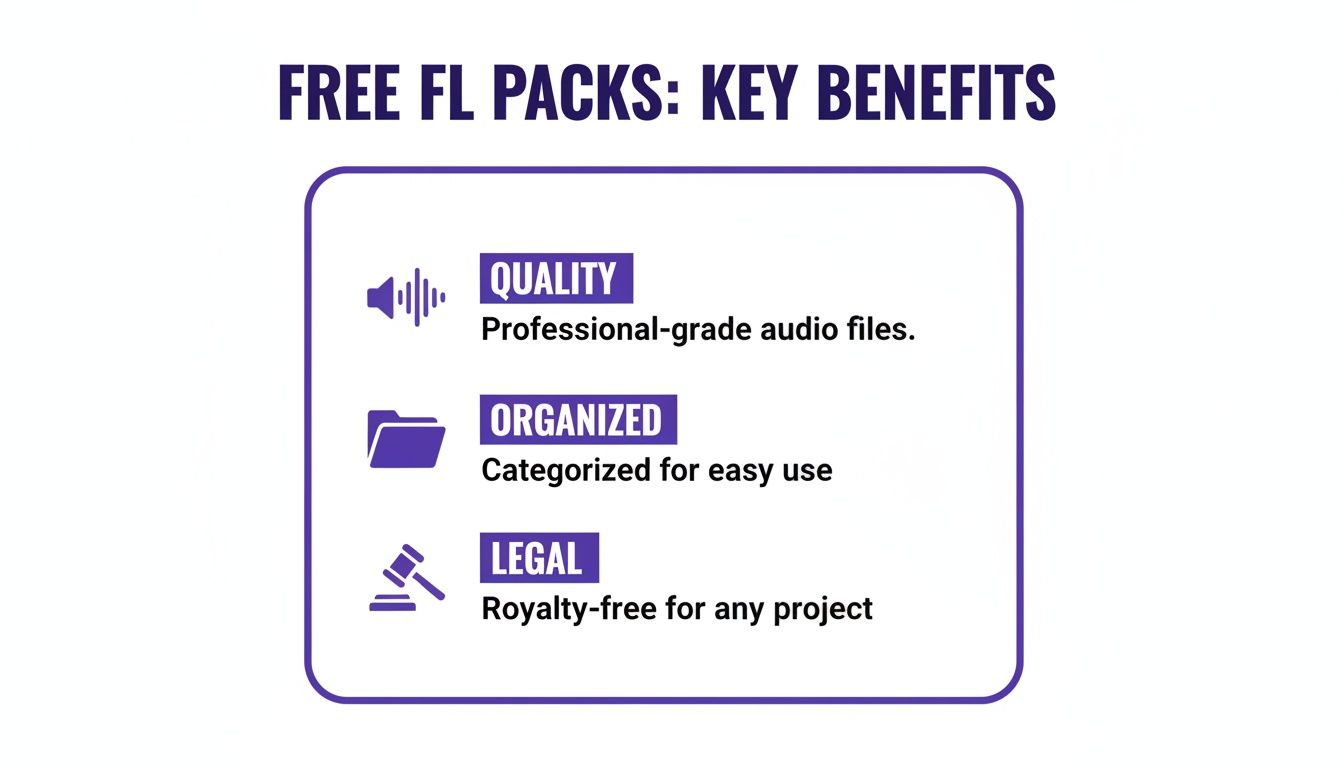
It really boils down to three things: quality, organization, and legal safety. Nailing these three forms the foundation of a solid sound library and lets you produce with confidence.
Choosing a trusted source for free packs is the single most important decision you can make for your sound library. It’s not just about getting free stuff; it’s about getting the right free stuff that empowers your music.
Finding and Claiming Your Free Sound Packs
Let’s cut to the chase: getting your hands on professional, legit FL Studio sound packs free of charge is a lot simpler than you might think. It’s all about knowing where to look. This whole process is designed to steer you away from sketchy downloads and connect you directly with high-quality, royalty-free audio that’s ready to drop into your next banger.
It usually starts by creating a free account on a specialized sound library. Don’t think of this as a hassle—it’s more like getting a backstage pass. This simple step is what unlocks their curated collections, especially the rotating freebies that are often reserved just for members.
Here’s a pro-tip I picked up years ago: set up a dedicated email address just for your music production accounts and subscriptions. It keeps your main inbox from getting cluttered and puts all your sound-related updates, free pack alerts, and special offers in one spot. Trust me, it’s a small habit that makes a huge difference as your library grows.
Navigating to the Freebies
Once you’re signed in, finding the goods is the easy part. Most sound libraries are eager to show off the quality of their premium collections, and offering free packs is their way of giving you a taste.
You’ll almost always see a link right in the main menu that says something obvious like:
- Free Sounds
- Freebies
- Free Packs
For instance, right here on our site, you can dive into a ton of FL Studio sound packs free in our dedicated free sounds category. This is your spot for everything from hard-hitting drum kits to melodic loops, all without ever pulling out your wallet. I’d recommend bookmarking that page and checking back often, as the offers change up to feature different genres and styles.
Remember, the whole point of these free downloads is to let you sample the library’s quality. If you find a free pack you absolutely love, it’s a pretty safe bet that their paid content will be right up your alley.
Downloading and Unzipping Your New Sounds
Okay, so you’ve picked a pack. The download is typically just a single click away. The files will almost always come packaged in a compressed format, usually a .ZIP or .RAR file. This just makes the download a lot smaller and faster.
Don’t let the “unzipping” part throw you off; it’s dead simple. Both Windows and macOS have this covered right out of the box for .ZIP files.
- On Windows: Just right-click the file you downloaded and hit “Extract All…”
- On macOS: Even easier. Double-click the .ZIP file, and it automatically creates a new folder with all the goodies inside.
If you run into a .RAR file, you might need a free tool like 7-Zip (for Windows) or The Unarchiver (for Mac). Once you’ve extracted the archive, you’ll see a clean folder with all your new .WAV samples and MIDI files, totally prepped and ready for FL Studio.
Integrating Free Sounds Into Your FL Studio Workflow
Alright, let’s get to the fun part—actually making music. You’ve grabbed some killer sounds, but they won’t do you any good just sitting in a folder. The real trick is bridging the gap between having a sound library and using it effortlessly. This is where we make your workflow seamless.
The single most important habit you can build is adding your new sound pack folders directly to the FL Studio Browser. Seriously, this one move changes everything. It puts your entire sound arsenal right inside your DAW, eliminating the endless hunt for files on your computer. Instant drag-and-drop.
To set this up, just go to Options > File Settings. You’ll see a section called “Browser extra search folders.” Click a folder icon on an empty line, navigate to where you unzipped your new sound pack, and select that folder. Boom. It’ll pop up in the Browser panel on the left side of FL Studio, ready to go.
Working With Samples and MIDI Files
Once you’ve linked your folders, you can start cooking up tracks. Most FL Studio sound packs free of charge will give you two main types of files to play with: .WAV samples and .MID files. Each one serves a totally different purpose.
Your .WAV files are the raw audio—the drum hits, melodic loops, and sound effects. The quickest way to use them is to just drag them from the Browser right into your project.
Here are a few common ways you’ll do this:
- Building a Drum Pattern: Grab a kick sample and drop it on the Channel Rack. FL will instantly load it into a sampler channel for you. From there, you can punch in a rhythm on the Step Sequencer or get detailed in the Piano Roll. Do the same for your snares, hi-hats, and whatever else you’ve got.
- Using a Melodic Loop: Found a cool guitar or synth loop? Drag it directly onto the Playlist. It shows up as an audio clip that you can arrange, chop up, and drench in effects.
MIDI files, on the other hand, are just pure musical data—notes, chords, and melodies with no actual sound attached. This is where the real creative control comes in. Drag a MIDI file from the Browser and drop it onto an existing instrument channel, whether that’s a beast like Serum or a stock FL synth. The notes from the pack will instantly load into that VST’s Piano Roll, ready for you to edit.
The real magic happens when you combine these elements. Take a free MIDI chord progression to drive your favorite synth, then build a killer drum pattern around it using the .WAV samples from the very same pack. That’s how you build the foundation of a new track in minutes.
Practical Production Examples
Let’s say you just downloaded a trap pack. You find a massive 808 bass sample—a .WAV file. Just drag “808_Boom_G.wav” into the Channel Rack. Now you have a playable 808. Open its Piano Roll and lay down a bassline that follows the root notes of the chords you’re using. If you want to get deeper into techniques like this, you should check out our guide on how to use samples in FL Studio.
This demand for easy-to-use, workflow-friendly packs is nothing new. Back in the early 2010s, as FL Studio became the undisputed king for hip-hop producers, the need for free sounds absolutely exploded. Image-Line even launched FL Studio Mobile in 2014 with free instrument packs to get more users hooked.
It was a smart move. Analytics from sites like Dawstats show that by 2016, over 70% of FL Studio users in key markets were relying on free packs for a huge chunk of their sample libraries. The workflow we’re talking about today is built on that history.
Understanding Royalty-Free Usage and Licenses
Let’s talk about something that trips up a lot of new producers: the legal side of using samples. I know, it sounds boring, but getting this right is what separates a hobby from a potential career. Trust me, you don’t want to build a track you love only to find out you can’t legally release it.
The two words you need to look for are royalty-free. This is your green light. When you get legitimate FL Studio sound packs free from a reputable source, this license is your safety net. It means you pay for the pack once (or get it for free, in this case) and you can use those sounds in your music forever. You can upload that track to Spotify, sell it on BeatStars, monetize it on YouTube—whatever you want—without ever owing another dime to the person who made the original sound.
The Problem with Uncleared Samples
This is a world away from just ripping audio from a movie or a famous song. Grabbing an uncleared sample, no matter how short, is a direct infringement on someone else’s copyright. It might seem like a small thing, but the consequences can be a massive headache.
This isn’t just a hypothetical problem, either. It happens constantly.
- Copyright Strikes: YouTube and SoundCloud have bots that sniff out copyrighted audio and will hit your channel with a strike before you even know what’s happening.
- Forced Takedowns: Your music distributor will get a notice and be forced to pull your song from every single streaming platform, killing any momentum you had.
- Legal Action: In a worst-case scenario, the original artist’s lawyers can come after you, and that gets expensive fast.
I always tell producers: “Royalty-free means creative freedom, not legal headaches.” It’s the difference between building a sustainable career and constantly worrying about getting caught.
When you stick to properly licensed, royalty-free sound packs, you ensure that the music you make is 100% yours. You own it. Any money you make from it, any success it brings, belongs entirely to you. For a deeper dive into the specifics, check out our guide on royalty free music.
Ultimately, choosing your sound sources carefully is an investment in your own future. It lets you stop worrying about the legal stuff and get back to what actually matters: being creative and making amazing music. Every kick, snare, and synth you drag in becomes a part of your vision, not a potential liability down the road.
Organizing Your New Sound Library Like a Pro
Downloading a mountain of FL Studio sound packs free of charge is an amazing feeling, but it quickly leads to a new problem. A massive, disorganized library is a total creativity killer.
When inspiration strikes, the absolute last thing you want is to spend twenty minutes digging through a digital mess just to find the right kick drum. Trust me, nothing shuts down a great idea faster.
The key is to build a system before your library spins out of control. It doesn’t need to be some overly complex, military-grade filing system, but it does need to be consistent. This is the difference between a functional sound arsenal and a digital junk drawer.
Creating Your Master Folder Structure
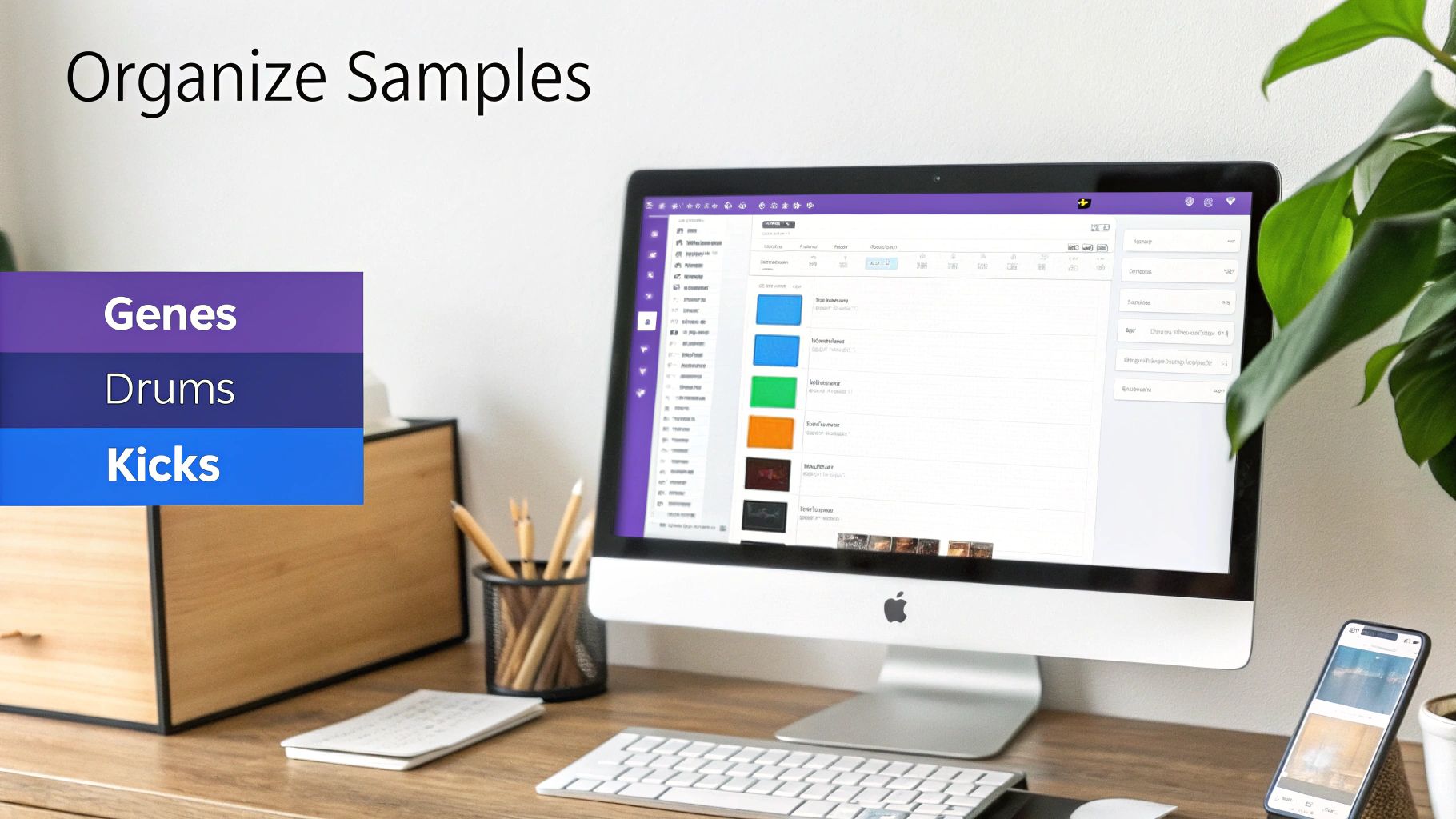
First things first, create one single master folder for every sound you own. Call it something simple and obvious like “My Sample Library” or “Production Sounds.” Park this folder somewhere you can get to it easily, like your main Documents folder or, even better, a dedicated external drive. This becomes the central hub for everything.
Inside this master folder is where you’ll create a logical system of subfolders. There are a few tried-and-true methods, and the best one really just depends on how your brain works.
- Organize by Type: This is a classic for a reason. Create top-level folders for “Drums,” “Melodics,” “Vocals,” and “FX.” Inside “Drums,” you can get even more granular with “Kicks,” “Snares,” “Hi-Hats,” and so on.
- Organize by Genre: If you jump between different styles, this method is a lifesaver. You can make folders for “Trap,” “Lo-Fi,” “House,” and “Cinematic.” Then, inside each of those, you can organize by instrument type.
- Organize by Source: Some producers just like to keep packs together. This could mean having folders named after the sound design company, like “Cymatics Kits,” or the specific pack, like “Free Trap Drum Kit.”
Once you’ve got your structure set, hooking it up to FL Studio is a game-changer. Just head over to Options > File Settings and add your new master folder to the “Browser extra search folders.” Bam. Your entire, beautifully organized library now shows up right in the FL Studio Browser on the left, ready for you to drag and drop at a moment’s notice.
Pro Tip: Get in the habit of renaming your actual sound files for clarity. A file named ‘Kick_Trap_Heavy_C.wav’ is infinitely more useful at a glance than ‘dist_kick_04_final.wav’. It feels tedious at first, but this one habit will save you countless hours over your production career.
Using Tags for a Searchable Library
Folders are great, but if you want to take things to the next level, FL Studio’s built-in tagging system can turn your browser into your own personal sound search engine.
When you find a sample you absolutely love, right-click it in the Browser and open up its properties. You can add your own custom tags. It’s that simple.
For example, you could tag your favorite kick drums with descriptive terms like “Punchy,” “Subby,” or “Aggressive.” This lets you search for sounds based on their actual sonic character, not just what a folder or file is called. It’s an incredibly powerful way to build a searchable, personalized palette of your go-to sounds.
Taking the time to organize your free sound packs this way pays off big time, keeping you in a state of creative flow instead of getting stuck in a frustrating search mode.
Your Questions Answered: Free FL Studio Packs
 Even with a solid guide, a few questions always bubble up when you start digging into the world of free sounds. I’ve been there. Let’s tackle some of the most common hurdles producers face so you can get back to what matters—making music.
This is your quick-reference guide for navigating the common “what ifs” of using FL Studio sound packs free of charge.
Are “Royalty-Free” Packs Actually Free to Use in Commercial Songs?
Yes, one hundred percent. This is probably the most important concept to get right.
When a pack is labeled “royalty-free,” it means that after you download it, you have a license to use those sounds in your music without paying any future fees or royalties. You can put your track on Spotify, upload it to YouTube with monetization on, or sell your beats on a platform like BeatStars—and you’ll never owe the original sound designer a dime from your earnings.
It’s the legal green light that makes using these packs a smart, safe bet for building your career. Your creative work stays entirely yours.
My Downloaded Pack is a .ZIP or .RAR File. What Do I Do?
Don’t sweat it. These are just compressed folders, kind of like vacuum-sealing your samples to make the download smaller and faster. Getting them open is a piece of cake on any modern computer.
- For .ZIP files: This is built right into your operating system. On a Windows PC, just right-click and hit “Extract All.” On a Mac, a simple double-click does the trick.
- For .RAR files: You might need a small, free tool. For Windows, 7-Zip is the go-to. If you’re on a Mac, The Unarchiver is a fantastic free option from the App Store.
Once you extract it, you’ll have a normal folder full of pristine .WAV and .MIDI files, ready to be dragged right into your FL Studio project.
Think of the compressed file as just the delivery box. The real value is what’s inside—all the high-quality audio and MIDI you’re about to put to work.
Can I Use These Packs in Other DAWs Like Ableton or Logic?
Absolutely. While this guide is focused on our beloved FL Studio, the sounds themselves are universal.
The core files—.WAV for audio and .MID for MIDI—are industry-standard formats. They work flawlessly in any major Digital Audio Workstation (DAW) you can think of, whether it’s Ableton Live, Logic Pro X, Cubase, or anything else. The workflow of dragging a sample from a folder into your timeline is a standard feature across all of them.
What if a Sample Just Doesn’t Sound Right in My Track?
This happens constantly. In fact, it’s a huge part of the production process! Very rarely does a raw sample fit perfectly without any tweaks. A sample is just a starting point—your job is to make it your own.
FL Studio is packed with tools to shape any sound. You can drop a .WAV file into the sampler channel and start experimenting. Pitch it up or down, filter out some frequencies, or use the time-stretching tools to lock it into your project’s tempo.
With MIDI files, you have even more power. Open that MIDI in the Piano Roll and you have total control. Change the chords, rewrite the melody, and rearrange the rhythm until it’s something completely new and unique to your track.
Ready to build a professional-grade sound library without spending a dime? Dive into the massive collection of royalty-free kits over at FL Studio Sound Packs. Your next banger is waiting to be discovered. Find it today at https://www.flstudiosoundpacks.com.